
The Office 2021 vs Office 2024 decision comes down to one question most comparisons get wrong: how long do you want to keep getting security updates? Both are one-time, lifetime licenses with no subscription. But Office 2021 support ends in October 2026, while Office 2024 runs until October 2029. This Office 2021 vs Office 2024 guide breaks down the real differences in support, features, apps, and price so you can pick the right one with confidence.
Quick verdict: For almost everyone buying in 2026, Office 2024 Professional Plus is the smarter buy, because Office 2021 loses all support in October 2026. Office 2021 only makes sense if you need the lowest possible price right now and plan to replace it soon.
Office 2021 vs Office 2024 at a Glance
| Office 2021 Professional Plus | Office 2024 Professional Plus | |
| Release date | October 2021 | October 2024 |
| Support ends | October 13, 2026 | October 2029 |
| License type | Perpetual, one-time purchase | Perpetual, one-time purchase |
| Devices | 1 PC | 1 PC |
| Core apps | Word, Excel, PowerPoint, Outlook, OneNote, Access, Publisher | Word, Excel, PowerPoint, Outlook, OneNote, Access |
| Publisher included | Yes | No (retired by Microsoft) |
| Copilot AI | No | No |
| Interface | 2021 ribbon design | Refreshed UI, default dark mode |
| Price | Lower | Higher |
The two headline facts most articles get wrong: Office 2024 does not include Publisher, and neither version includes Copilot. Copilot is exclusive to Microsoft 365 subscriptions.
The Deciding Factor: Support Timelines
This is the single most important difference in 2026 between office 2021 vs office 2024.
Office 2021 reaches the end of its support on October 13, 2026. After that date Microsoft stops shipping security and bug fixes entirely, with no paid extension. The apps keep working, but every month afterward the security risk grows as new vulnerabilities go unpatched.
Office 2024 is supported until October 2029, giving you roughly three more years of protection than a copy of Office 2021 bought today. If you are paying once for software you intend to keep, paying slightly more for three extra years of security is usually the better value.
One shared caveat: both versions only keep receiving updates on a supported operating system. Since Windows 10 support ended in October 2025, install either suite on Windows 11 for the full update window.
Apps Included: The Publisher Difference
| Application | Office 2021 | Office 2024 |
|---|---|---|
 Word Word | ✓ | ✓ |
 Excel Excel | ✓ | ✓ |
 PowerPoint PowerPoint | ✓ | ✓ |
 Outlook Outlook | ✓ | ✓ |
 OneNote OneNote | ✓ | ✓ |
 Access Access | ✓ | ✓ |
 Publisher Publisher | ✓ | ✗ |
Both suites cover the essentials, but the app lists are not identical.
Office 2021 Professional Plus includes Word, Excel, PowerPoint, Outlook, OneNote, Access, and Publisher. Office 2024 Professional Plus includes Word, Excel, PowerPoint, Outlook, OneNote, and Access, but Microsoft removed Publisher. Publisher itself reaches end of life in October 2026, so even on Office 2021 it stops getting updates then.
If you specifically rely on Publisher for newsletters or brochures, Office 2021 is the only current perpetual suite that still ships it, though only until October 2026. For everyone else, the missing Publisher in Office 2024 is not a real loss.
Feature Differences That Actually Matter
The jump from 2021 to 2024 is an evolution, not a revolution. The meaningful upgrades:
- Excel functions and performance: Office 2024 adds the newer array and text functions introduced since 2021 and handles large datasets more smoothly, which matters most to heavy spreadsheet users.
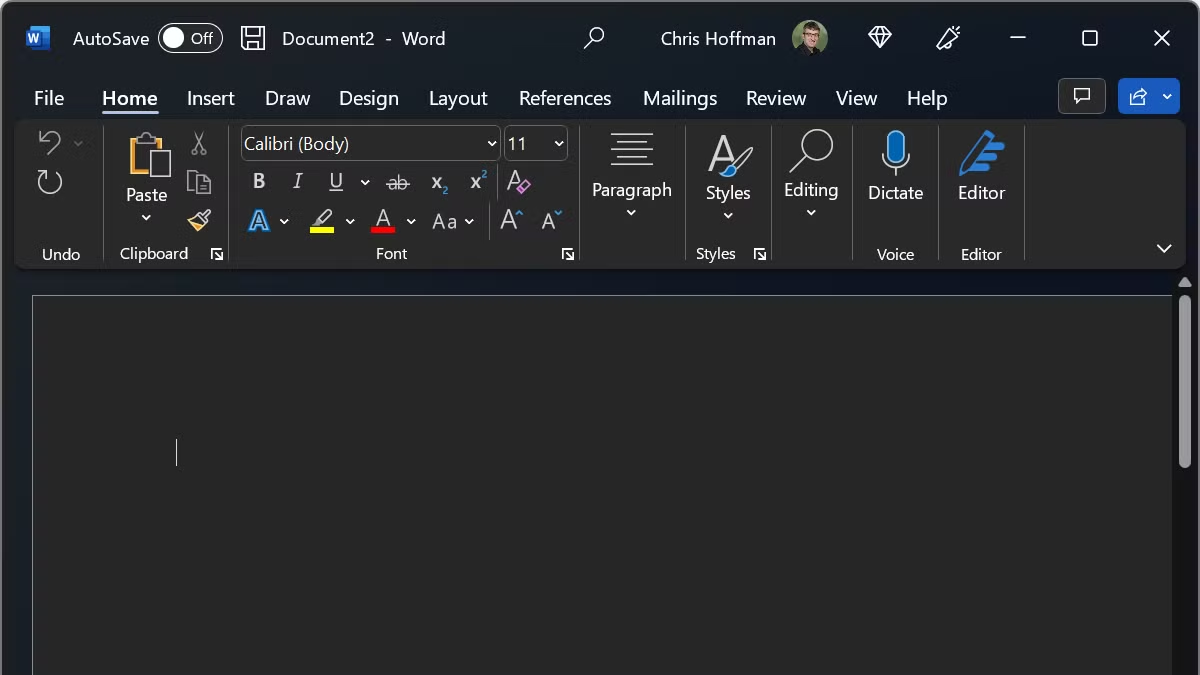
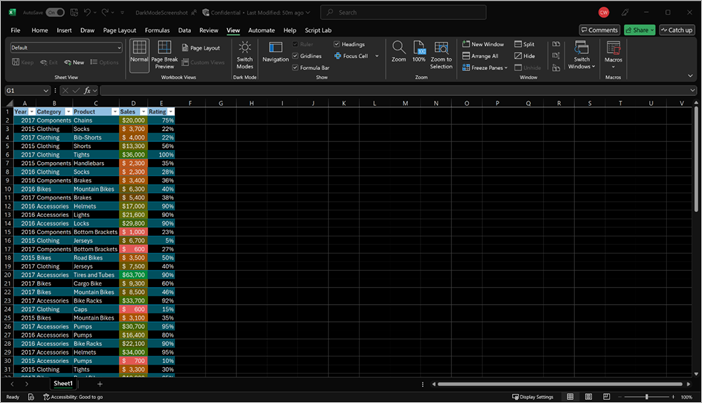
- Interface and dark mode: Office 2024 ships a refreshed look aligned with Windows 11, including a proper default dark mode across the apps.
- Collaboration and accessibility: Office 2024 improves co-authoring, commenting, and accessibility checks compared to 2021, even without a Microsoft 365 account.
- Everyday speed: General performance and search are a step up in 2024.
What you do not get in either version: Copilot AI, 1TB of OneDrive storage, or continuous new-feature updates. Those are Microsoft 365 subscription perks. Both 2021 and 2024 receive security fixes only, no new features, for the life of their support window.
Price and Value
When you weigh Office 2021 vs Office 2024 on cost per supported year, Office 2021 has the cheaper sticker price because it is the older release, and genuine keys are often discounted.
The honest way to compare value is cost per supported year. A discounted Office 2021 key looks attractive until you account for support ending in October 2026, which can be only months of coverage depending on when you buy. Office 2024’s higher price spreads across three more years of updates, usually making it the lower cost per year of protection. Both remain far cheaper over three to five years than a Microsoft 365 subscription.
Who Should Buy Office 2021
- Buyers who need the absolute lowest upfront price and accept support ending in October 2026
- Anyone who specifically needs Publisher in the near term
- Users on older hardware they plan to replace soon anyway
Who Should Buy Office 2024
- Anyone who wants the longest support runway (through October 2029)
- Excel-heavy users who benefit from the newer functions and performance
- Users who want the modern interface and better collaboration
- Most buyers in 2026, simply because Office 2021’s clock has nearly run out
Office 2021 and 2024 vs Microsoft 365
If you are weighing a subscription too, the trade-off is ownership versus features. A perpetual Office 2021 or 2024 license is paid once and yours to keep, but it never gains new features and has a fixed support end date. Microsoft 365 costs every year but adds Copilot AI, 1TB of OneDrive, multi-device installs, and continuous updates. For one or two PCs where you mainly create documents, a one-time Office 2024 license is the more economical choice over three to five years.
How to Get and Install Either Version
Once you have chosen, our step-by-step guides walk you through the download, install, and activation:
- How to download, install, and activate Office 2021 Professional Plus
- How to download, install, and activate Office 2024 Professional Plus
Both come as genuine Microsoft installers with lifetime keys delivered by email in minutes.
Frequently Asked Questions
Does Office 2024 include Copilot AI?
No. Neither Office 2024 nor Office 2021 includes Copilot. Copilot is only available with a Microsoft 365 subscription. Any store claiming the perpetual Office 2024 has built-in Copilot is mistaken.
Is Office 2024 worth upgrading to from Office 2021?
For most people in 2026, yes, mainly because Office 2021 loses all support in October 2026. If you bought Office 2021 recently and only need basic apps, you can keep using it, but new buyers get far more value from Office 2024’s longer support window.
Does Office 2024 have Publisher?
No. Microsoft removed Publisher from Office 2024, and Publisher reaches end of life in October 2026. Office 2021 Professional Plus is the last perpetual suite that still includes it.
Can I install Office 2021 or 2024 on more than one PC?
No. Both are single-PC perpetual licenses. You need one license per computer, though you can move a license to a new PC after deactivating the old install.
When exactly does each version lose support?
Office 2021 support ends October 13, 2026. Office 2024 support ends in October 2029. Neither receives new features during that time, only security and bug fixes.
Bottom Line
Office 2021 and Office 2024 are both genuine lifetime licenses, but in 2026 the decision is mostly about timing. Office 2021 is cheaper and still includes Publisher, yet its support ends in October 2026. Office 2024 costs a bit more, drops Publisher, and adds modest feature and interface improvements, but it stays supported until October 2029. For nearly every new buyer, Office 2024 Professional Plus is the better long-term value.
Get genuine Office 2024 Professional Plus →
Or browse Office 2021 Professional Plus →