Microsoft Windows 10 Professional Installatiegids
Deze gratis stap-voor-stap handleiding helpt je Microsoft Windows 10 Professional te downloaden, installeren en activeren — met echte screenshots bij elke stap, in 12 talen.
Installer downloaden
Download de gewenste versie via de volgende downloadlink.
Beschikbaar in 12 talen —
Lees dit zeer zorgvuldig
- Dit zijn de minimale systeemvereisten voor het installeren van Microsoft Windows 10 op een pc. Als je apparaat niet aan deze vereisten voldoet, kun je Microsoft Windows 10 mogelijk niet installeren.
- U kunt de toepassing PC Health Check downloaden die je zal vertellen of je apparaat Microsoft Windows 10 ondersteunt.
Upgrade Home naar Pro
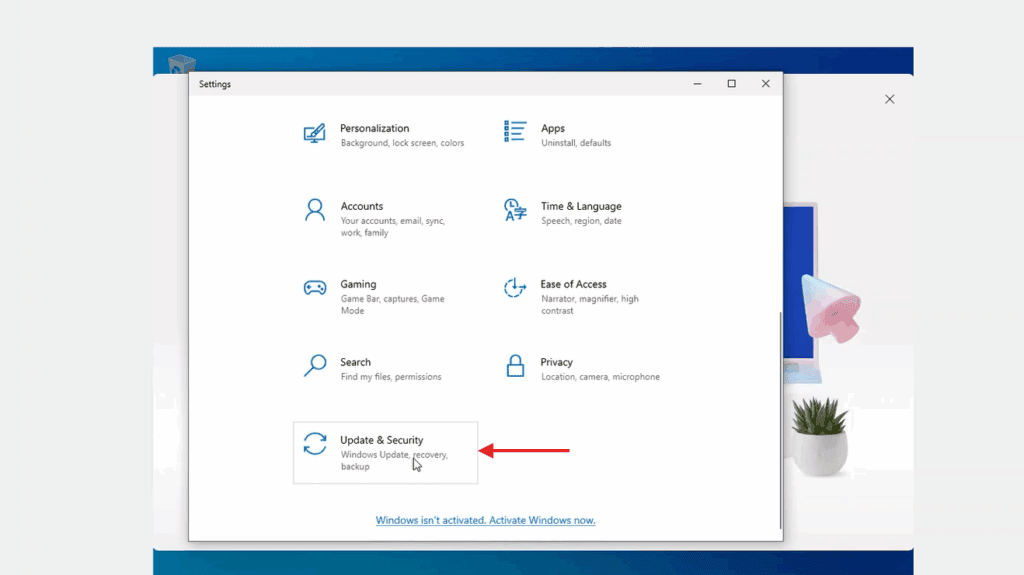
In Windows Settings, the activation page lives under Update & Security — open it from there.
Now select 'Change product key'. Typing in Microsoft's generic upgrade key VK7JG-NPHTM-C97JM-9MPGT-3V66T and pressing Next converts Windows 10 Home into Windows 10 Pro.
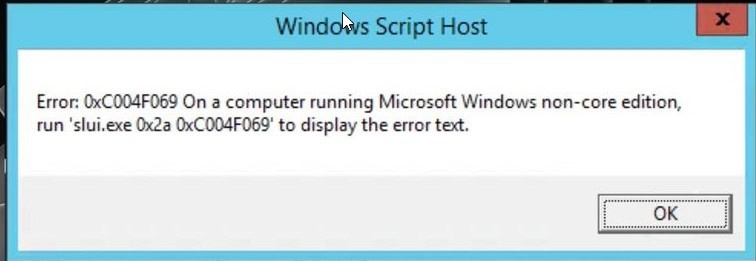
After the upgrade to Windows 10 Pro, open the activation page again (Settings -> Update & Security -> Activation), pick 'Change product key' a second time and type the Windows 10 Pro key from your purchase.
When Windows asks you to, restart the computer so every change takes effect.
Stap-voor-stap installatie
First get Microsoft's Media Creation Tool with the Download button on this page, and launch it when the download completes.
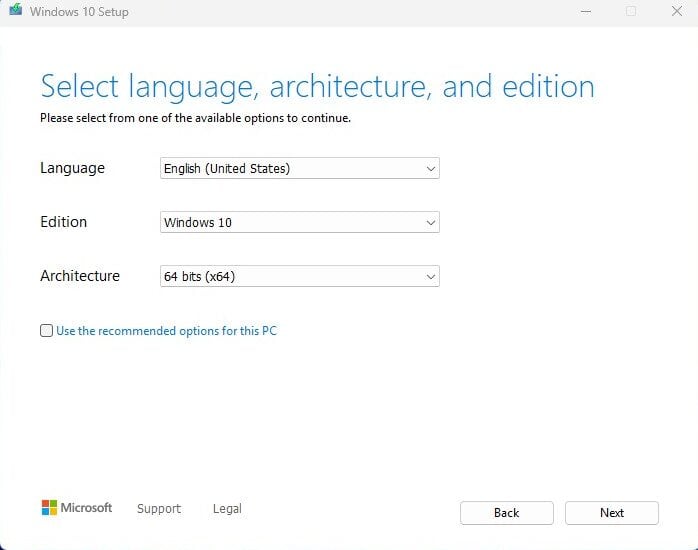
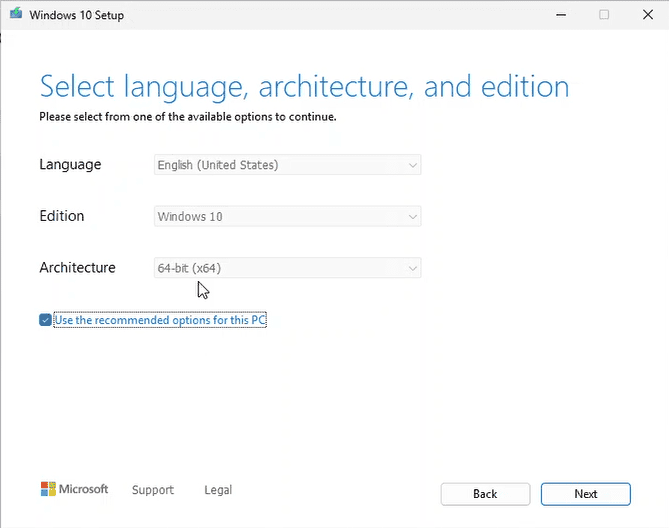
In the tool, the option you want is 'Create installation media (USB flash drive, DVD, or ISO file) for another PC'; press Next. On the following screen set language, the Windows 10 edition and the 64-bit architecture.
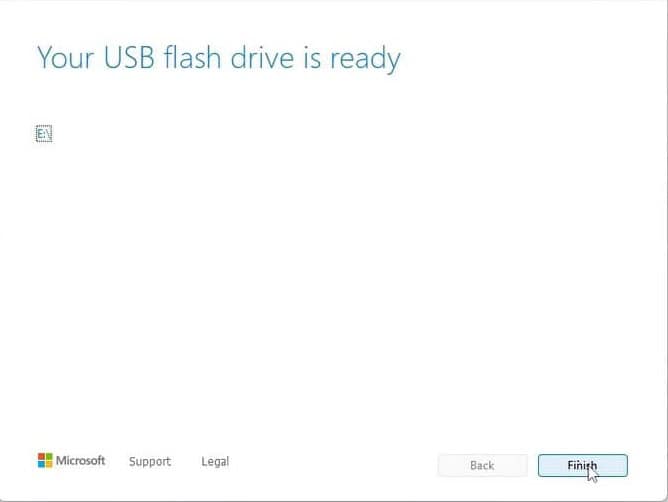
Plug in your USB stick (8 GB+), pick 'USB flash drive' and select your drive in the list. The tool then downloads Windows 10 and copies it onto the stick for you.
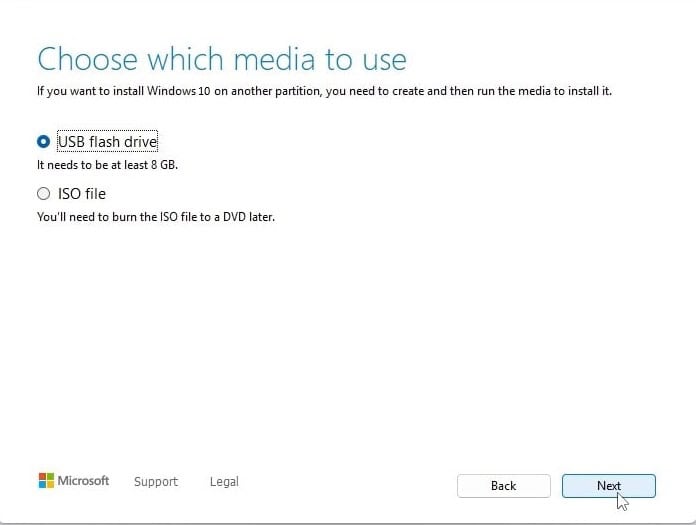
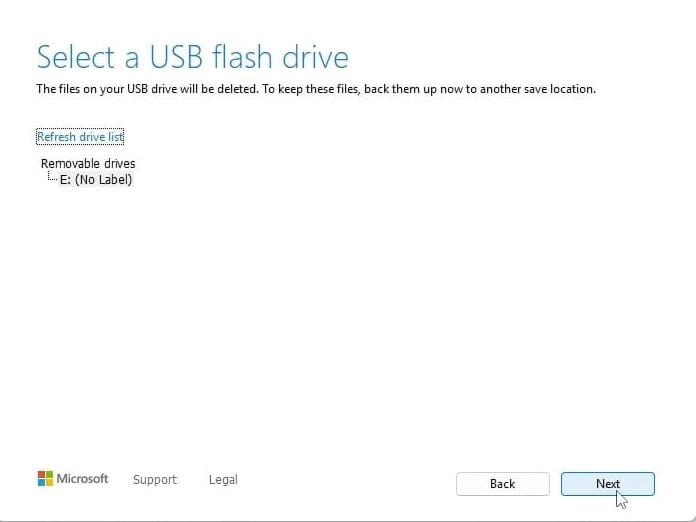
Plug the USB stick into the computer you're installing on. Open the BIOS with F2, F12 or Del, make the USB drive the first boot device, then save and reboot.
Set the language of the operating system and the 64-bit architecture, then press Next.
After pressing 'Install now', either enter your product key straight away or choose 'I don't have a product key' and activate later.
In the setup type screen, go for 'Custom: Install Windows only (advanced)'. Delete the old partitions so only unallocated space remains, select it and press Next.
Setup runs for roughly 15-25 minutes and reboots the PC a few times. To finish, choose your region and keyboard layout; signing in with a Microsoft account is optional.
Activeer je licentie
Volg deze 5 korte stappen — de hele reeks duurt minder dan twee minuten.
Heb je de licentie ontvangen? Activeer Windows dan op de manier die hieronder staat beschreven.
Kies je taal
De installatiemedia zijn beschikbaar in 12 talen. Elk is het originele medium — alleen de interfacetaal is vooringesteld.
| Taal | 64-bit | 32-bit |
|---|---|---|
 NederlandsUw taal | Downloaden | Downloaden |
 English | Download | Download |
 Deutsch | Herunterladen | Herunterladen |
 Français | Télécharger | Télécharger |
 Italiano | Scarica | Scarica |
 Español | Descargar | Descargar |
 Svenska | Ladda ner | Ladda ner |
 Dansk | Hent | Hent |
 Norsk | Last ned | Last ned |
 Suomi | Lataa | Lataa |
 Português | Transferir | Transferir |
 Ελληνικά | Λήψη | Λήψη |
Veelgestelde vragen
Hoe lang duurt de installatie?
+
Reken op ongeveer 30–60 minuten in totaal: 10–20 min download, 6–10 min USB-voorbereiding, 15–25 min installatie + eerste opstart, plus 5–10 min voor de eerste configuratie.
Worden mijn bestanden gewist bij een schone installatie?
+
Ja — een schone installatie wist de doelpartitie. Maak eerst een back-up op een externe schijf of in de cloud. Een in-place upgrade behoudt bestanden, maar een back-up wordt sterk aangeraden.
Ik krijg "TPM 2.0 niet gedetecteerd" op Windows 11. Wat nu?
+
Start opnieuw op in BIOS/UEFI (F2 of Del bij het fabrikantenlogo) en zoek naar "Intel PTT", "AMD fTPM" of gewoon "TPM". Schakel het in, sla op en sluit af. De meeste moederborden van de laatste 8 jaar hebben firmware-TPM 2.0 — het moet alleen aan staan.
Kan ik installeren zonder Microsoft-account?
+
Ja. Op Windows 11 Home, op het "Aanmelden bij je Microsoft-account" scherm, druk Shift+F10 om de opdrachtprompt te openen, typ "start ms-cxh:localonly" en druk op Enter — je kunt dan een lokaal account aanmaken.
Mijn productsleutel wordt niet geaccepteerd. Wat moet ik controleren?
+
Controleer of de editie exact overeenkomt — een Pro-sleutel activeert geen Home en omgekeerd. Zorg dat je de sleutel zonder spaties invoert. Als alles klopt, neem contact op met Urlicenses-ondersteuning met je orderID voor een vervangsleutel.
Hulp nodig?
Microsoft biedt geen telefonische activering meer
Microsoft is stap voor stap gestopt met de ondersteuning van een aantal oudere producten, waardoor activeren per telefoon niet meer kan. Loop je tijdens de installatie tegen problemen aan of heb je vragen, dan helpt ons supportteam je graag verder.
Wil je sneller geholpen worden? Gebruik dan de livechat op onze website om ons rechtstreeks te bereiken.
Bestanden worden gehost op ons beveiligde CDN. Klik op Downloaden om te beginnen.